
The AI Workspace for Law Firms & Legal Professionals
Everything your legal practice needs in one platform—case management, AI drafting, legal research, citation verification, document management, and secure client collaboration.
Built specifically for lawyers. No prompting. No complicated setup. Just faster legal work from day one.
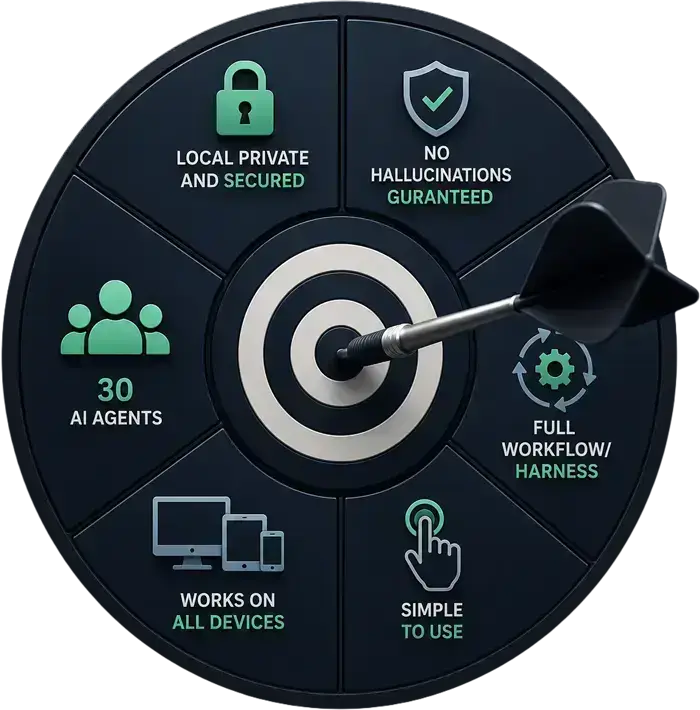
Need complete privacy? Run LexEdge entirely inside your office with our air-gapped Private AI Box.
Start free today — no credit card, no commitment.
 Winner, TOI AI
Quotient Award
2026 — AI in Legal, Tax & Compliance
Winner, TOI AI
Quotient Award
2026 — AI in Legal, Tax & Compliance Every objection you have to AI in your practice. Addressed.
We have heard every concern. From senior advocates, junior partners, sole practitioners, and managing clerks. These are the six that come up every single time — and what we built to solve each one.
"AI makes things up. I cannot risk a fake citation in front of a judge."
LexEdge never uses AI to verify citations. Every case law reference is cross-checked algorithmically against official databases — deterministic rules, not a language model guessing. Fake citations are flagged before they leave the system.
"My client data is highly sensitive. I cannot put it in some cloud."
Cloud plan: data encrypted at rest and in transit, stored in India, never used for training. Private AI Box: fully air-gapped, on-premise hardware sitting in your office. Your data never leaves the room. You can see the box.
"AI tools need prompts and extra work. We do not want to learn that."
You don’t have to.
LexEdge is not a standalone AI tool. It works inside your existing workflow — your cases, documents, and matters. You continue your normal work. The system applies AI automatically in the background, drafting, reviewing, and researching, all within your workflow.
"Setting this up will mean weeks of manual data entry for my team."
Speak it, scribble it, or scan it. LexEdge accepts voice in twelve languages, handwriting via Apple Pencil or S Pen, and scanned pages via camera. The bench parses and files — your team does not retype a single line.
"We have decades of paper files. Migration sounds like a six-month project."
Point your phone at a page. LexEdge reads handwritten diaries, typed files, and printed orders — and routes each entry to the right matter automatically. Most practices are fully migrated within two weeks, without a consultant.
"Every legal tech tool I have seen costs a fortune and locks you in."
Start completely free — all modules, AI Drafting, AI Agents, AI-powered research, matter management, no credit card required. Paid plans start at a fraction of what a single legal subscription costs. Export your data any time in standard formats. No lock-in.
The way modern legal tech should have always been.
Built by people who’ve sat in chambers, missed court dates, drafted at 11pm and watched a junior burn out. These aren’t features. They’re consequences.
Free for three months.
No credit card. No “starter” lock-in. Just the full bench, your data, and time to make the call.
Your full practice, off paper and on AI
Cases, hearings, appointments, expenses, documents — all in one place, with AI woven quietly into every step. Not a chatbot bolted on. Sensible automation that works like a very good assistant who already knows your practice.
No hallucinations. Ever.
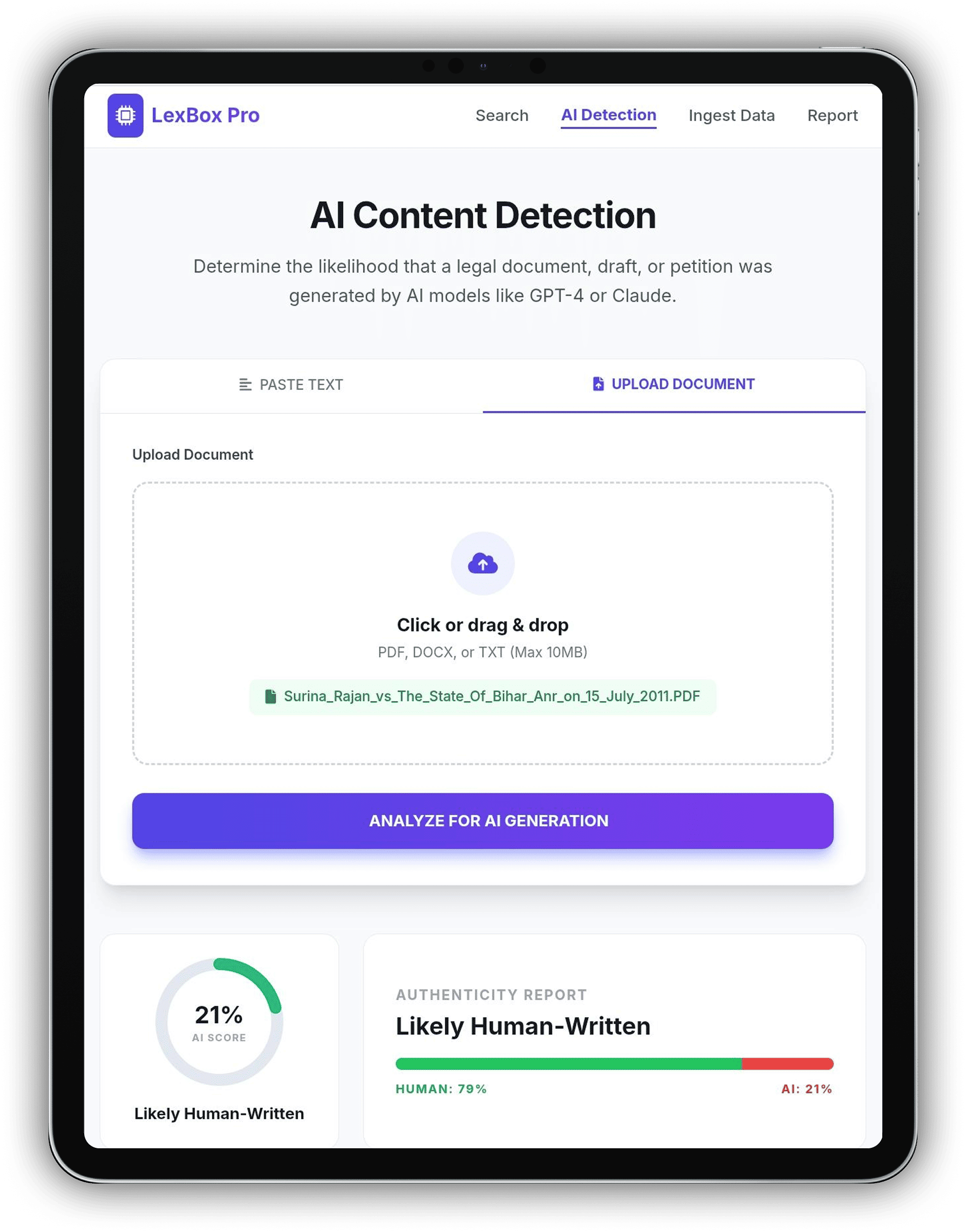
Judges are already rejecting filings with citations that do not exist — a direct result of lawyers using ChatGPT and Claude for legal work. LexEdge does not use AI to verify citations. Every case law reference is cross-checked algorithmically against official databases. If it cannot be verified, it is flagged. We also include a tool that detects whether any document or draft was created using AI.
Nothing leaves without your sign-off
LexEdge prepares. You approve. Every draft, every submission, every advice note waits for your eye before it goes anywhere. You are always the senior partner in the room.
Mobile-first
Built for the way Indian practitioners actually work — phone in hand, on the move, often without signal. Desktop comes too, and it's peer-grade.
Works offline
Annotate briefs, search precedents, draft submissions in a hearing with no network. Everything syncs the moment you reconnect.
LexEdge. Wherever You Work.
Available on iOS, iPadOS, Android, macOS, Windows, Web, Microsoft Word Add-in, Google Chrome Extension, and WhatsApp—the same data, the same AI agents, everywhere you work. Start on your phone, continue on your tablet, and finish on your desktop without losing context.


Simple to use
Senior practitioners are productive on day one. No course to attend, no setup consultant, no plug-ins to install.
Fast
Drafts in seconds. Citation checks in under a second. Search across forty years of your diary in two keystrokes.
Sensible AI usage
AI only where it earns its place — not on top of every screen. Most flows are deterministic; AI is summoned, not strewn about.
The whole practice, under one roof.
Most firms stitch together a case-management tool, a research subscription, a drafting plug-in and a citation checker. LexEdge is all five — talking to each other, with one bill at the end of the month.
Try the Interactive Demo
Explore the platform at your own pace. Click through the screens to see how AI helps manage matters, research, drafting, and daily legal work.
See your workflow in one place
This preview shows how everyday legal work comes together in a single system.
Interact with it to understand how drafting, research, and case work stay connected — automatically.
- Start with any case or document
- Try an action — draft, review, search
- Watch everything stay in sync
Real screens. From real practices.
Four glances into the app — case management, agent workflows, drafting, citation trust. Drop your own screenshots in the slots; we leave you guidance for what looks best.
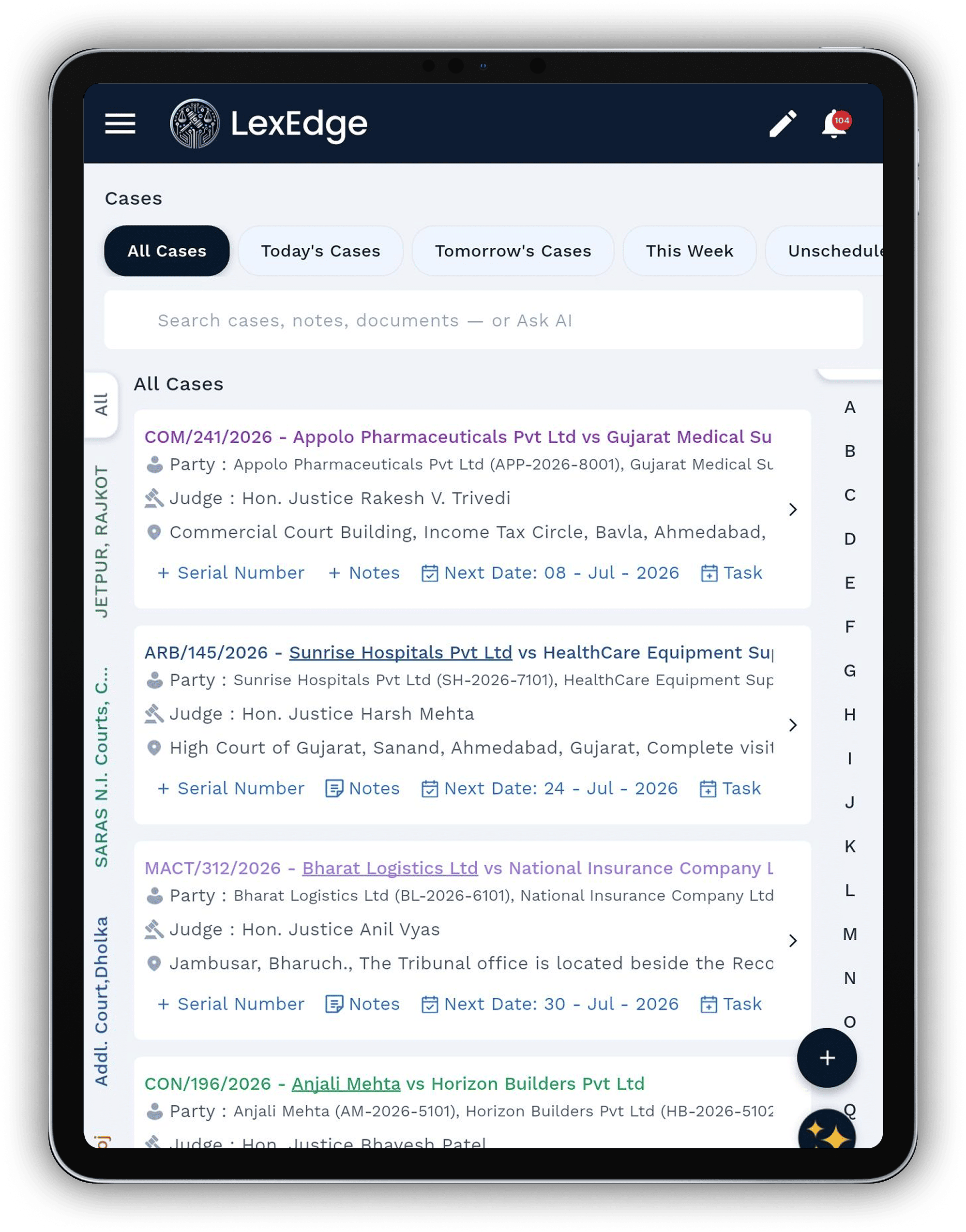
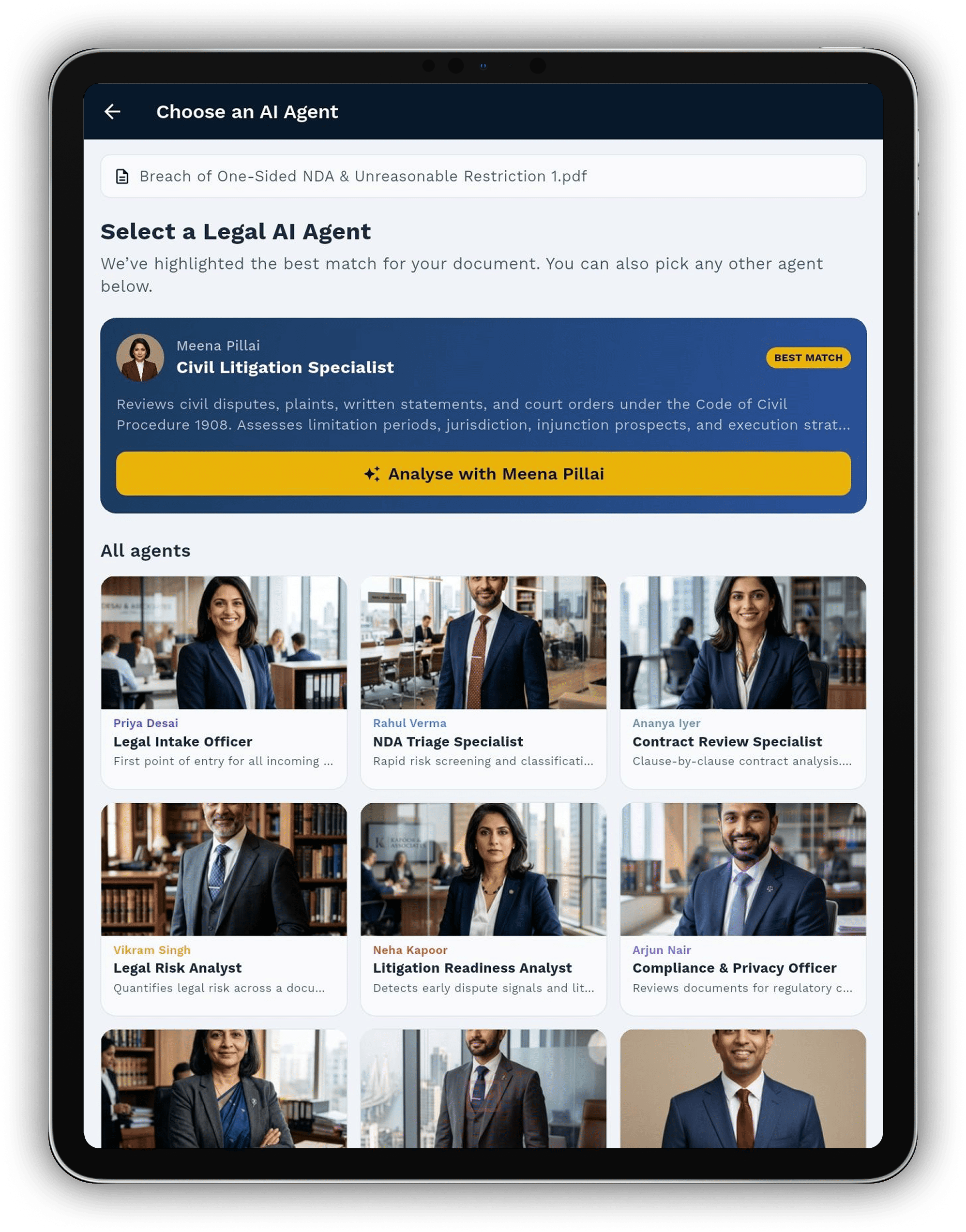
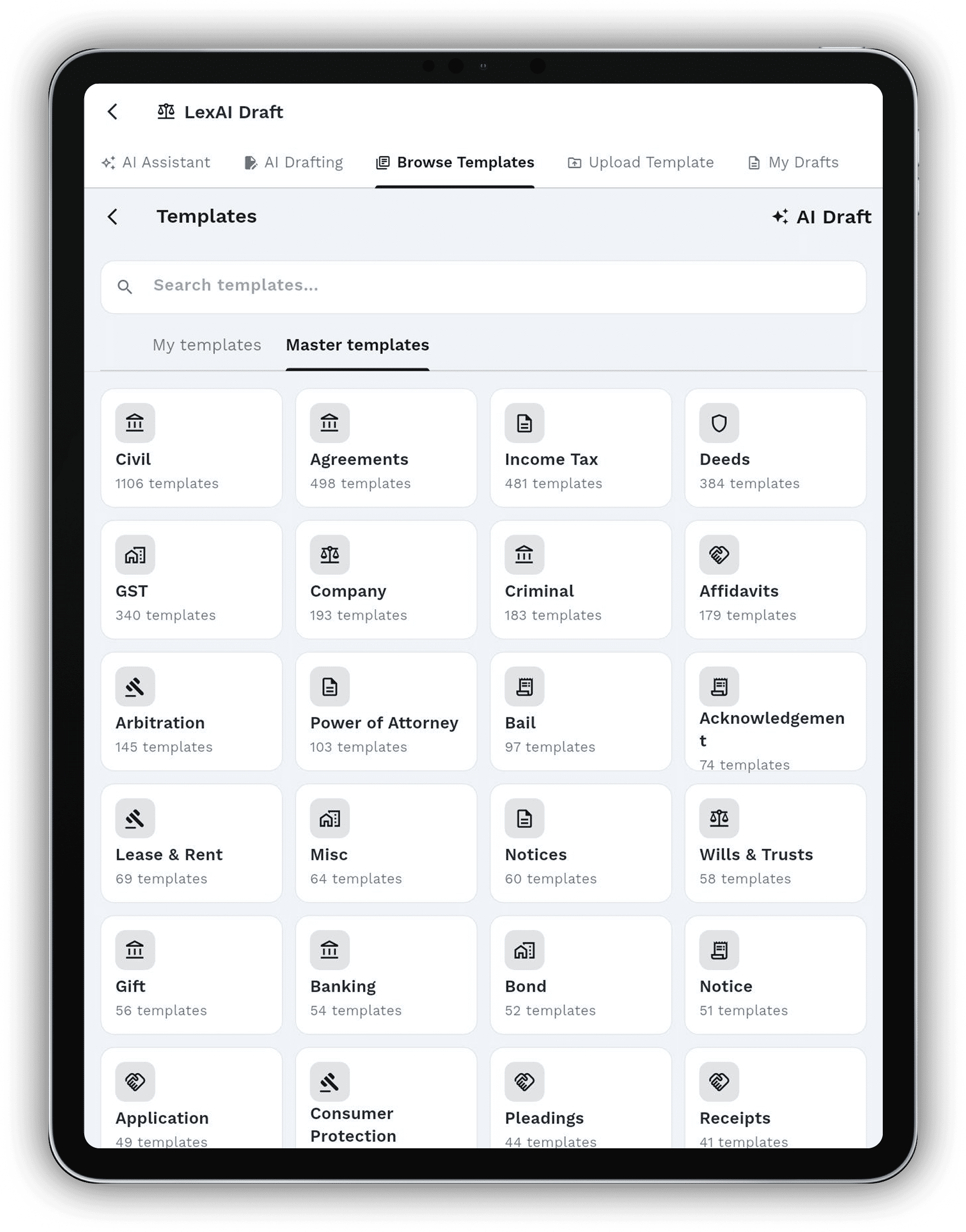
No typing. No learning curve.
The biggest reason lawyers avoid digital tools is simple: typing everything from scratch takes longer than writing it by hand. LexEdge removes the keyboard from the equation entirely.
Speak in your own language, scribble with the pen you already own, or point your phone at a paper diary. The bench reads it, files it, and routes it — no retyping, no reformatting, no adapting to the software.
Dictate matters, draft notes, even file submissions — in Hindi, Marathi, Bengali, Tamil, Gujarati, Telugu and seven more. The bench parses it and routes correctly.
Mark up briefs in the hand you've used for forty years. The bench reads what you wrote, indexes it, and links it to the right matter.
Point the phone at any page — diary, deed, judgment, hand-written notes. Pages process on-device, even with no signal.
Every citation, verified against the actual court registry.
Generic AI tools invent case names and volumes. LexEdge cross-checks every citation in your brief — and every citation it generates — against the official judgment database. Real ones get the green tick. Made-up ones get flagged before they reach a judge.
Drafts that know your house style — and your jurisdiction.
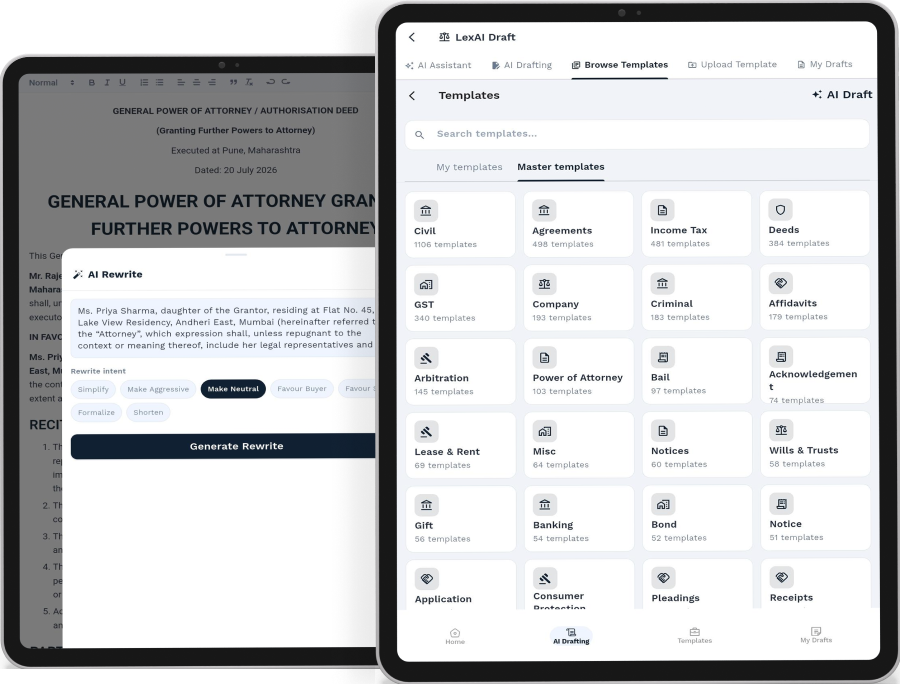
Upload a precedent once. LexEdge learns your fall-back positions, your boilerplate, your preferred spelling. New drafts arrive with your variables filled in, your jurisdiction baked in, and a re-write button on every paragraph.
- Smart templates from your own precedents
- Select any sentence → ask for a re-write
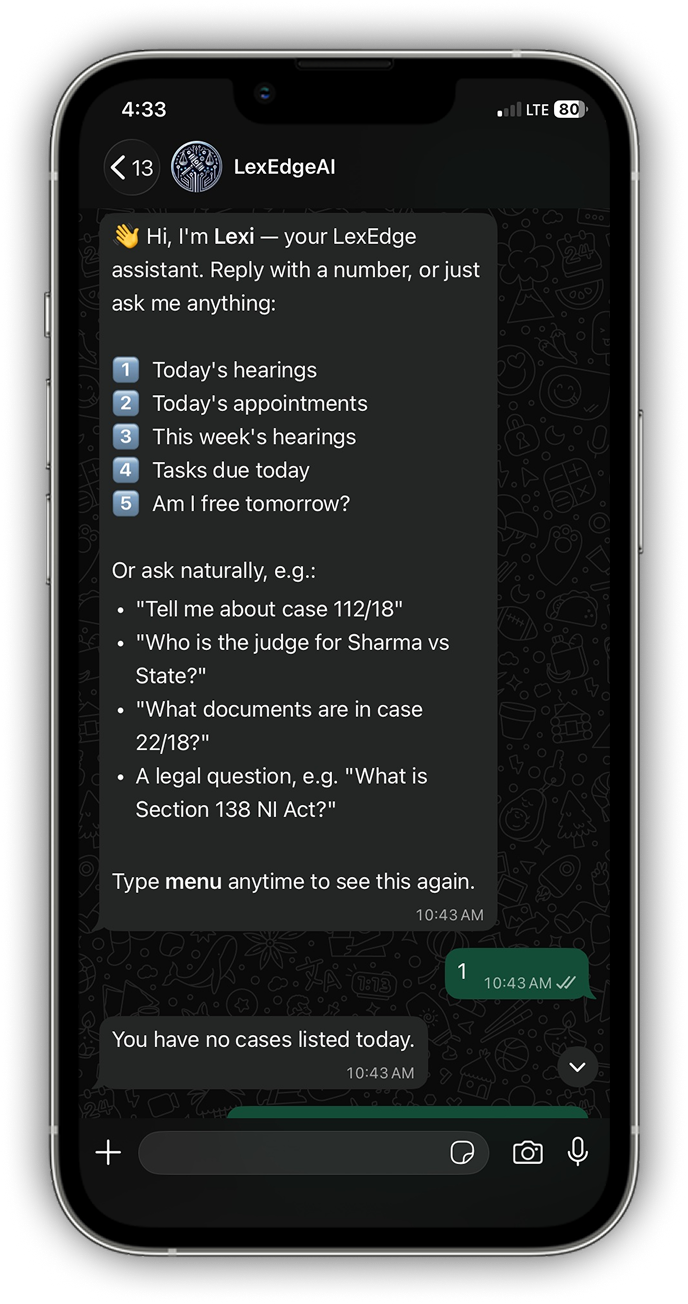
- Annotate PDFs offline; clients get a WhatsApp summary
- Export to DOCX with track-changes intact
Built for the way an Indian practice actually runs.
Couriers, hearing adjournments, hand-written orders, clients on WhatsApp. LexEdge is shaped by senior practitioners — not Silicon Valley demos.
Offline-first
Work in chambers and at hearings with no signal. Everything syncs when you reconnect.
Five platforms
iOS, Android, Mac, Windows, Web — same workspace, same data.
WhatsApp sync
Hearing reminders, status updates and client briefs go out automatically.
Audit-grade trail
Every AI decision is logged with sources and rationale — exportable.
Bring your own AI
Use OpenAI, Claude, or Gemini — switch models per matter.
Your data, your servers
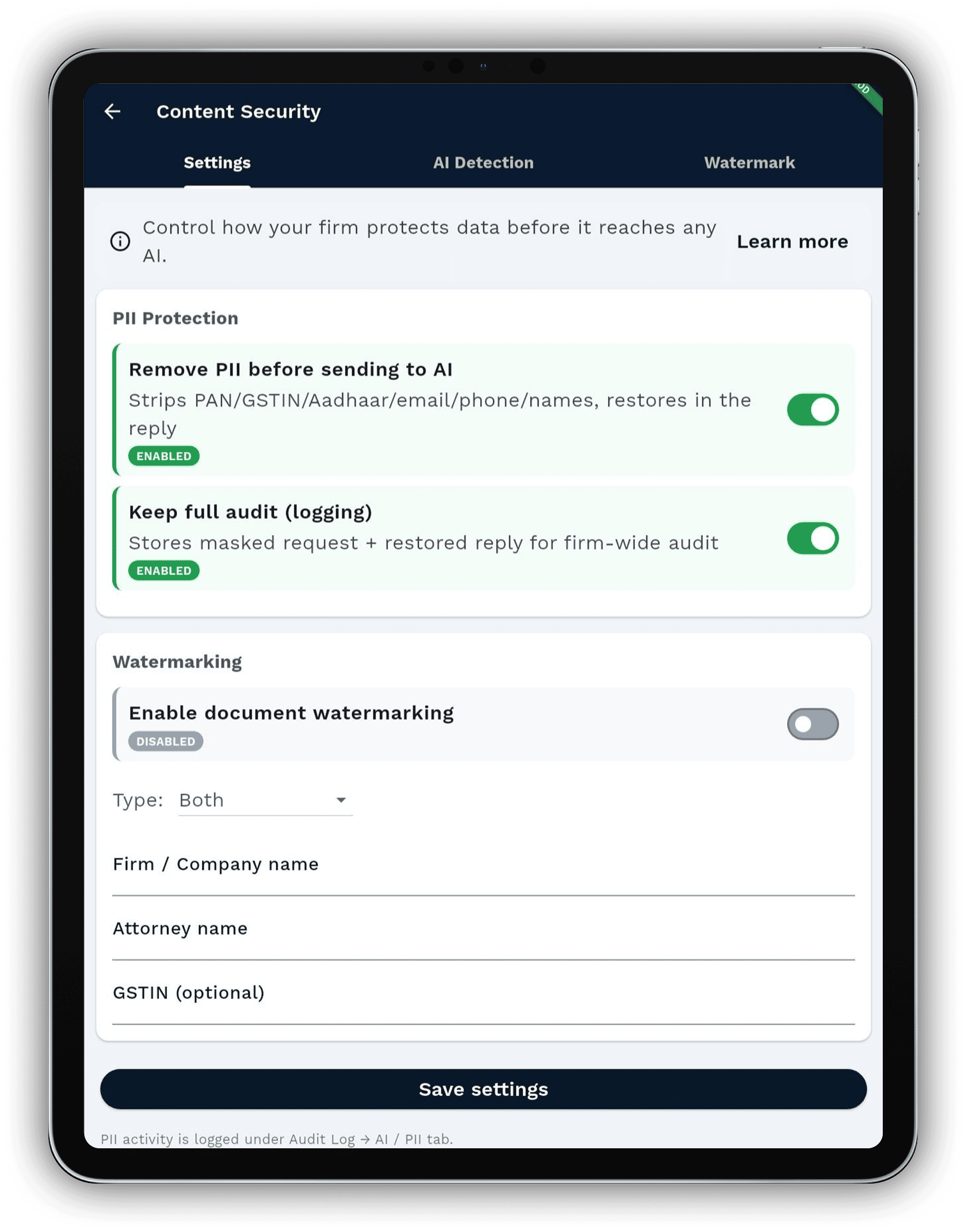
On-premise for chambers that need it. Never used for model training.


Questions lawyers ask before trying LexEdge.
What is LexEdge?
LexEdge is an AI workspace for Indian legal practices. It brings drafting, citation verification, matter search, diary migration, client communication, and practice operations into one secure product.
Who is LexEdge built for?
It is built for solo advocates, chambers, mid-size firms, in-house legal teams, and enterprise firms that need private deployment options.
I've already learned AI prompts from courses and YouTube. Why do I need LexEdge?
Those tutorials teach you what AI is — useful for a week. But copying prompts into a public chatbot isn't a business process: it's disconnected, it forgets everything the moment you close the tab, and it can't be handed to your team. LexEdge is the finished system instead of the starter kit. The prompt engineering, retrieval and indexing all run on the backend — hidden from you — so you get the output without assembling anything or climbing a learning curve.
Does LexEdge remember my past work, or do I start fresh every time?
It remembers. Last week's draft, last year's appeal, your house style, your knowledge base — all of it stays with you and is retrievable in seconds. Unlike a public chatbot that resets every session, LexEdge builds on your history, so your work compounds instead of disappearing.
Is it safe to put confidential client matter into LexEdge?
Yes — privacy is built into how every request is handled, not a setting you switch on. Sensitive details are masked before any AI model sees them, your data is stored encrypted, it is never used to train models, and everything is backed up with a full audit trail. You never have to wonder where your clients' information went.
Where can I actually use LexEdge?
Everywhere you already work — phone, tablet, desktop, web, inside Google Chrome and Microsoft Word, and even on WhatsApp. It's one brain across every surface, so there's no new app to live inside and no new habit to learn. A question is always one message away.
Can I keep everything in-house, with nothing leaving my infrastructure?
Yes. For chambers and enterprises with strict confidentiality needs, LexEdge offers a private, air-gapped deployment that runs entirely on your own infrastructure. You own the data, the models and the keys end to end — and nothing is sent anywhere without your explicit permission.
Can I use LexEdge on mobile and desktop?
Yes. LexEdge is designed for iOS, Android, macOS, Windows, and web access, with the same workspace available across devices.
Does LexEdge work offline?
Core workflows such as annotation, drafting review, and matter work are designed to continue offline and sync when the device reconnects.
Does LexEdge verify legal citations?
Yes. The citation workflow checks citations before they are used in drafts so lawyers can avoid unsupported or incorrect references.
Can LexEdge migrate old diary pages and case records?
Yes. The migration workflow converts paper diaries and legacy records into structured clients, matters, dates, documents, and reminders.
Can I bring my own AI model or key?
Yes. LexEdge supports flexible model routing, including firm-owned AI keys and private deployment options for sensitive practices.
Is LexEdge suitable for Indian legal work?
Yes. The product is written around Indian legal practice patterns, including chambers, court dates, citations, client communication, and matter history.
How do I start a trial?
Use the Start free action on the site. The trial is designed so a practice can test the bench on real workflows before deciding.
Is client data used to train public AI models?
No. LexEdge is designed around client confidentiality, per-matter boundaries, and deployment controls that keep practice data isolated.
Spend the next weekend building your practice's future.
Pilot LexEdge with one matter. The bench has three months to earn its place — no payment in between.