
Paper Migration
Paper to digital. In two weeks. No consultants.
"Decades of paper — migration is a 6-month project" is the fear that keeps a lot of Indian practices exactly where they are. Point your phone at a page — LexEdge reads handwritten diaries, typed files, and printed orders, and routes each one to the right matter. No six-month project. No consultant. Here's exactly how that works.
Decades of paper files is not a minor inconvenience. It's the reason many practices never digitize at all.
Real Indian legal practices run on real paper — tied files, dusty shelves, handwritten diaries. Here’s what “just digitize” usually assumes, and gets wrong.
Most tools assume a clean starting point
Software built elsewhere often assumes you're already digital. Decades of tied paper bundles, handwritten diaries, and printed orders don't fit that assumption at all.
"Migration project" sounds like months, and a consultant
The word "migration" alone implies a scoped project with a consultant and a timeline — exactly the kind of upfront cost that makes a practice stay on paper rather than start.
The fear of losing something in the process
Old files are often the only record of a matter. Any digitization process has to prove nothing gets lost or misfiled along the way — not just claim it.
This is solvable — but only if it's a scan, not a scoped project. Here's exactly how LexEdge does that.
See how it's solved ↓The one lever that matters, repeated on purpose: no migration project.
Not a promise — a mechanism. Here’s what actually happens behind the scenes.
Point your phone at a page. That's it.
No scanner hardware, no batch-uploading, no dedicated migration software. LexEdge reads handwritten diaries, typed files, and printed orders straight from a phone camera.
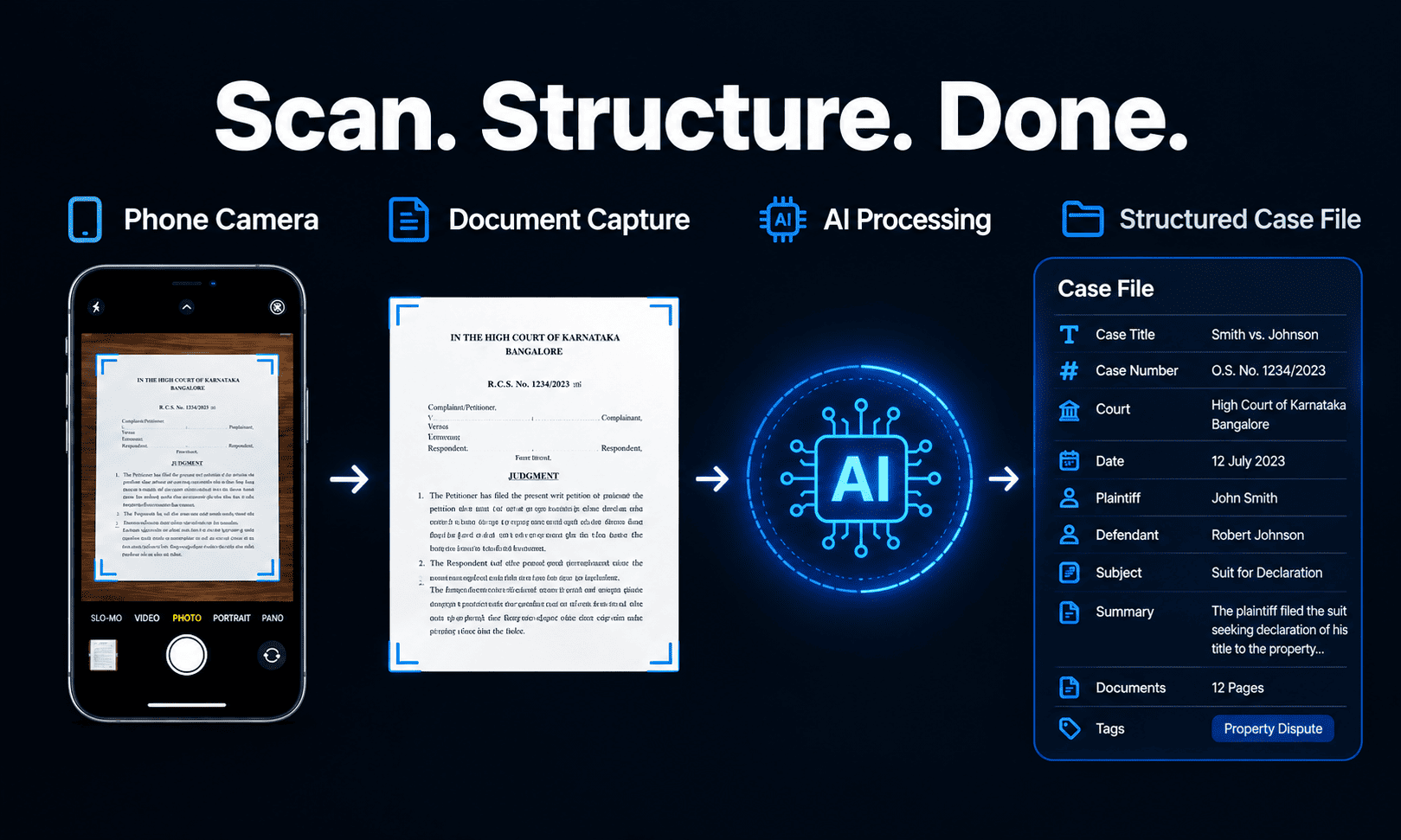
Read, organized, and routed to the right matter.
Each scanned page isn't just stored as an image — it's read and filed to the correct case automatically, the same way captured voice or handwriting is in the rest of LexEdge.
Two weeks, not six months.
Most practices are fully migrated in around two weeks, working through files as time allows — not a scoped consulting engagement with a six-month timeline.

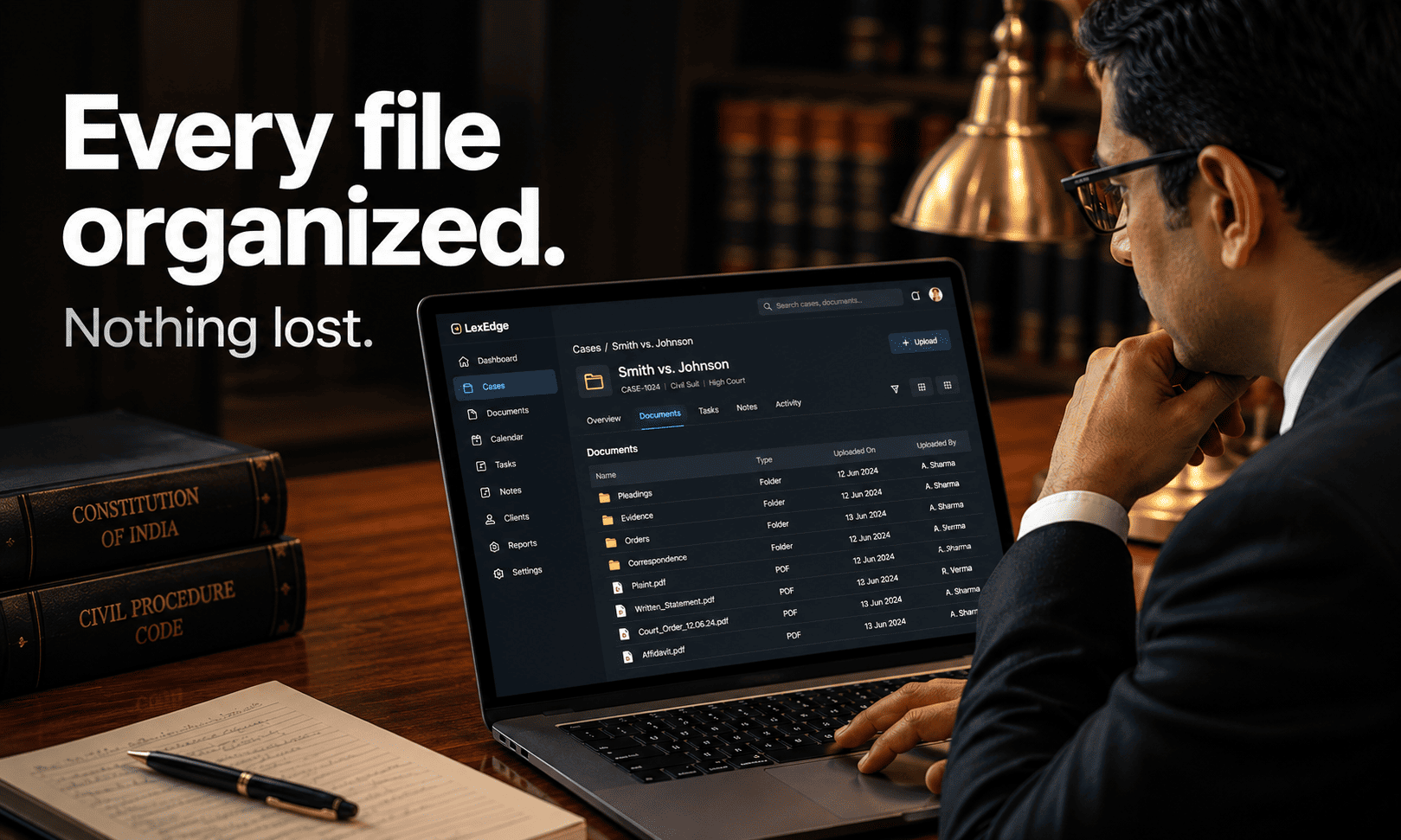
Every file organized. Nothing lost.
Digitization only matters if nothing gets misplaced along the way — this is built to be checked file by file, not just trusted as a black-box process.
Check this before you agree to a six-month digitization project.
Not specific to LexEdge — use it on whatever you’re evaluating, including this. Click each item as you check it off.
Can it read handwritten diaries, not just typed or printed pages?
A lot of the real backlog in an Indian practice is handwritten — if that's not covered, the "solution" doesn't cover the actual problem.
Do you need a consultant, or can you do this yourself?
A consultant-led project has a cost and a timeline that a self-serve scan-it-yourself process simply doesn't.
What's the realistic timeframe, in weeks, not vague terms?
Ask for an actual number — "six months" and "two weeks" are different enough that this question alone should change your decision.
Can you migrate at your own pace, or is it all-or-nothing?
Being able to scan files as time allows — rather than a single scoped project — is what makes it actually finishable for a busy practice.
Have you tested it on your oldest, worst-condition file?
A crisp recent order is an easy test. A faded, decades-old handwritten diary page is the real one.
If LexEdge meets every item on this list, start with one file.
Don’t think about migrating everything at once. All modules free, no credit card. Scan a single file and see exactly how it’s read, organized, and filed — before you commit to anything more.
Start free — try it on one fileStill picturing a six-month project? Good. Ask these.
Can it actually read handwriting, or just printed/typed pages?
Handwritten diaries are explicitly included, along with typed files and printed orders — the point is to cover what a real practice's backlog actually looks like, not just the easy cases.
Do I need a consultant to do this?
No. You point your phone at a page yourself — there's no consulting engagement or scoped project required to get started.
How long does migration actually take, realistically?
Most practices are fully migrated in around two weeks, working through files as time allows rather than all at once. That's a real, testable timeframe, not a marketing round number.
What happens if a page is faded, damaged, or hard to read?
This is worth testing directly on your actual oldest or worst-condition files, not a clean sample — that's the honest test of whether this holds up against a real decades-old backlog.
How do you make sure nothing gets lost or misfiled during migration?
Each scanned page is read and routed to a specific matter, so you can check file by file that everything landed where it should — rather than trusting a black-box bulk-migration process.
Do I have to migrate everything at once?
No — start with a single file and see exactly how it's captured and organized before committing to anything more. There's no all-or-nothing cutover required.
What's the catch?
Fair question on a page promising something most vendors quote as a six-month project. Real accuracy on genuinely old, damaged, or hard-to-read pages is where this gets tested hardest — we'd rather you verify that on your own worst file than take our word for it.
Start with your next file. Scan it. Done.
Start with the free plan — every module, no card, no obligation to keep going.